
GOM PicUser Guide
Home Screen
Basic Configuration
The home screen of GOM Pic consists of the following: Top Menu Bar, Left Menu Bar, Template Area, Recent Files Area
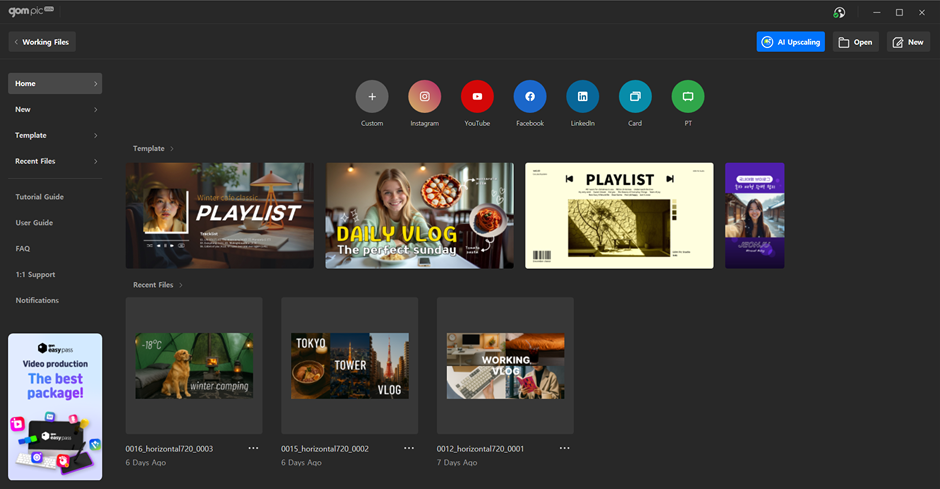
1) Basic Menu Area
- The basic menu at the top consists of buttons for Working File, AI Upscaling, Image Import, and Create New.
- The left basic menu area is composed of tab buttons for selecting Home, Templates, Recent Files, and each help menu.
2) New Project Area
- Supports creating new projects by format, allowing you to start SNS (social media) content quickly and efficiently.
- You can begin designing immediately using platform-optimized sizes or make use of related templates.
3) Template Area
- Consists of recommended templates provided by GOM Pic.
- By selecting a template similar to the desired image, you can easily and quickly create an image.
4) Project File Area
- This area displays the most recently worked on project files in descending order of recency.