GOM Player+User Guide
AI voice recognition subtitle
Start AI Voice Recognition Subtitle Generation
The AI voice recognition subtitle generation feature utilizes AI technology to automatically recognize the audio in a video and convert it into subtitles.
1. Access AI Voice Recognition Subtitle Generation
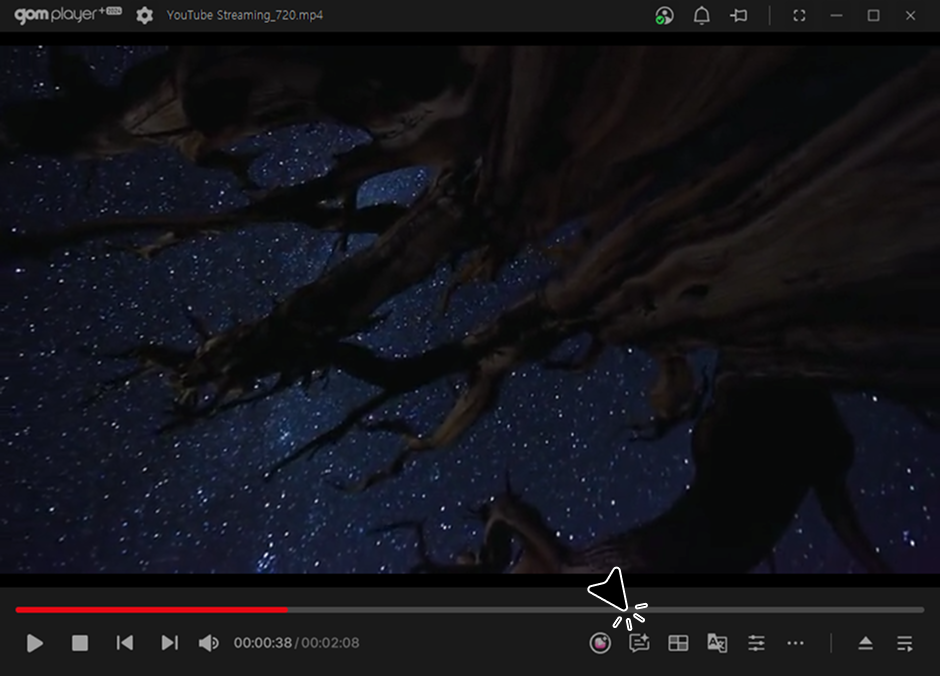
Click the 'AI voice recognition subtitle generation' icon (F11) on the bottom control bar to open the pop-up window.
Video playback is required to use the feature.
2. Set Up
-
1)
AI Voice Recognition Subtitle Save Path
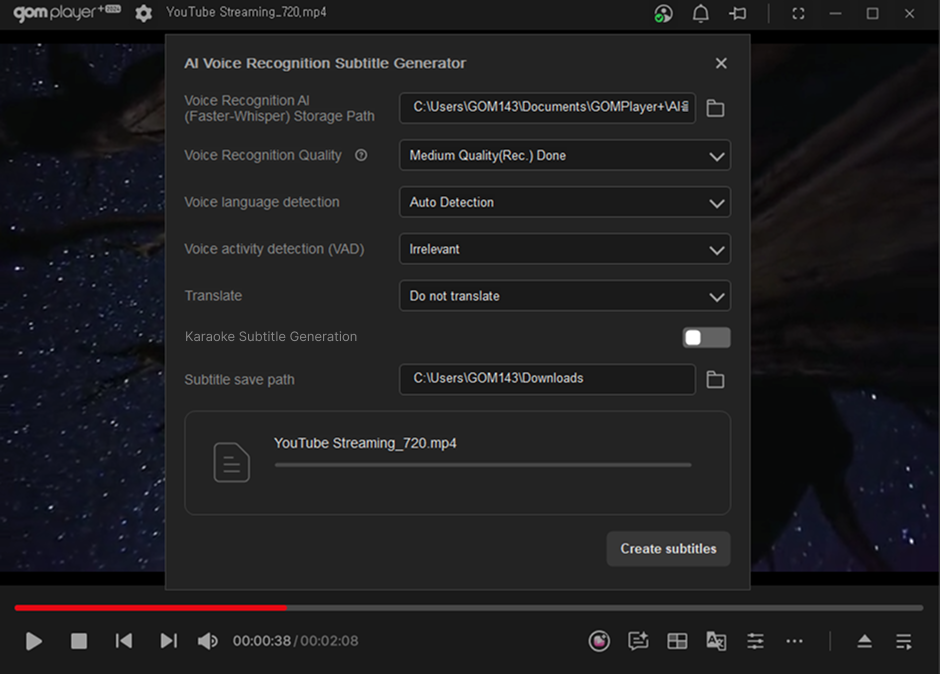
Set the installation path for the voice recognition engine, Faster-Whisper. You can specify the desired folder by clicking the path selection icon.
-
2)
Voice Recognition Quality
You can set the voice recognition quality, and the default value is 'Medium (Recommended)'.
-
3)
Apply Voice Enhancement Filter
Apply the voice enhancement filter.
-
4)
Translate
Select and apply one of the available languages for translation.
-
5)
Karaoke Subtitles
You can set up karaoke-style subtitles.
-
6)
Subtitle Save Path
Set the path where the subtitles will be saved.