
GOM Player+User Guide
AI Video Upscaling
AI Video Upscaling Details
The AI Video Upscaling History page allows you to view a list of videos that have been upscaled and re-download them. Upscaled videos are stored for 15 days.
1. Open AI Video Upscaling History
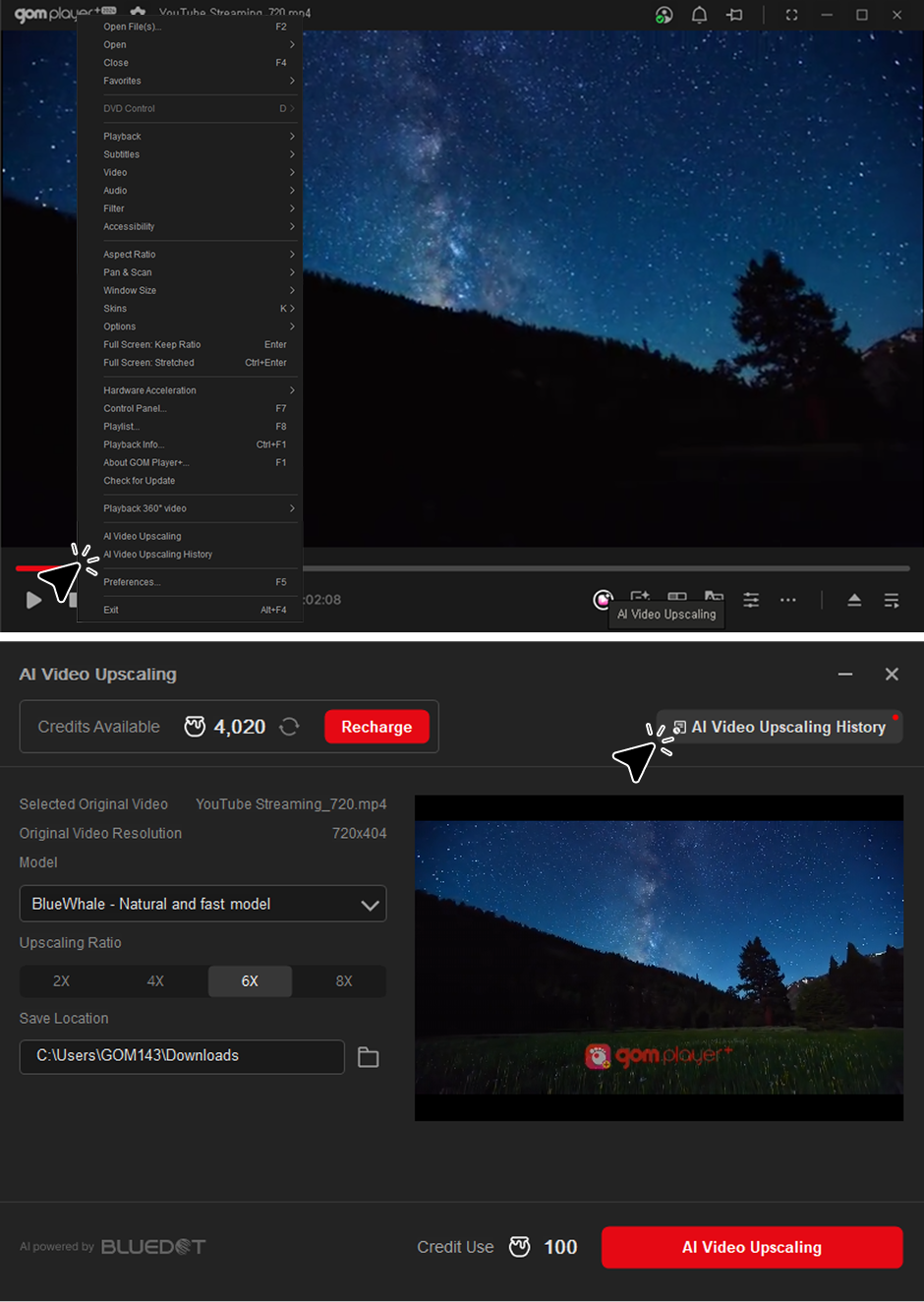
You can access this feature by right-clicking in GOM Player+ and clicking the "AI Video Upscaling History" button in the context menu, or by clicking the "AI Video Upscaling History" button at the top of the AI Video Upscaling section.
2. Download Upscaling Video
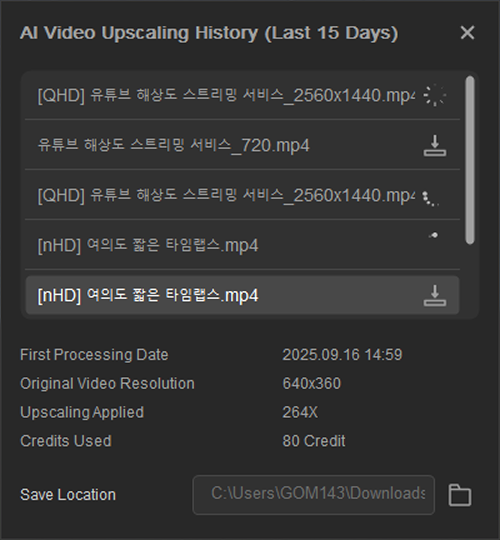
- 1) AI Video Upscaling videos are stored from the last 15 days.
- 2) Selecting a list displays information about the upscaled video (date of initial processing, original resolution, applied upscaling, and credits used).
- 3) You can set the download path by selecting the download location at the bottom.
- 4) Click the download button on the right side of the list to download the video.
- Before
- Next