
GOM MixUser Guide
Source and Effects Panel
Audio Tab
You can use 1,000 background music and sound effects without worrying about copyright issues. Try rich productions with sounds that suit your videos.
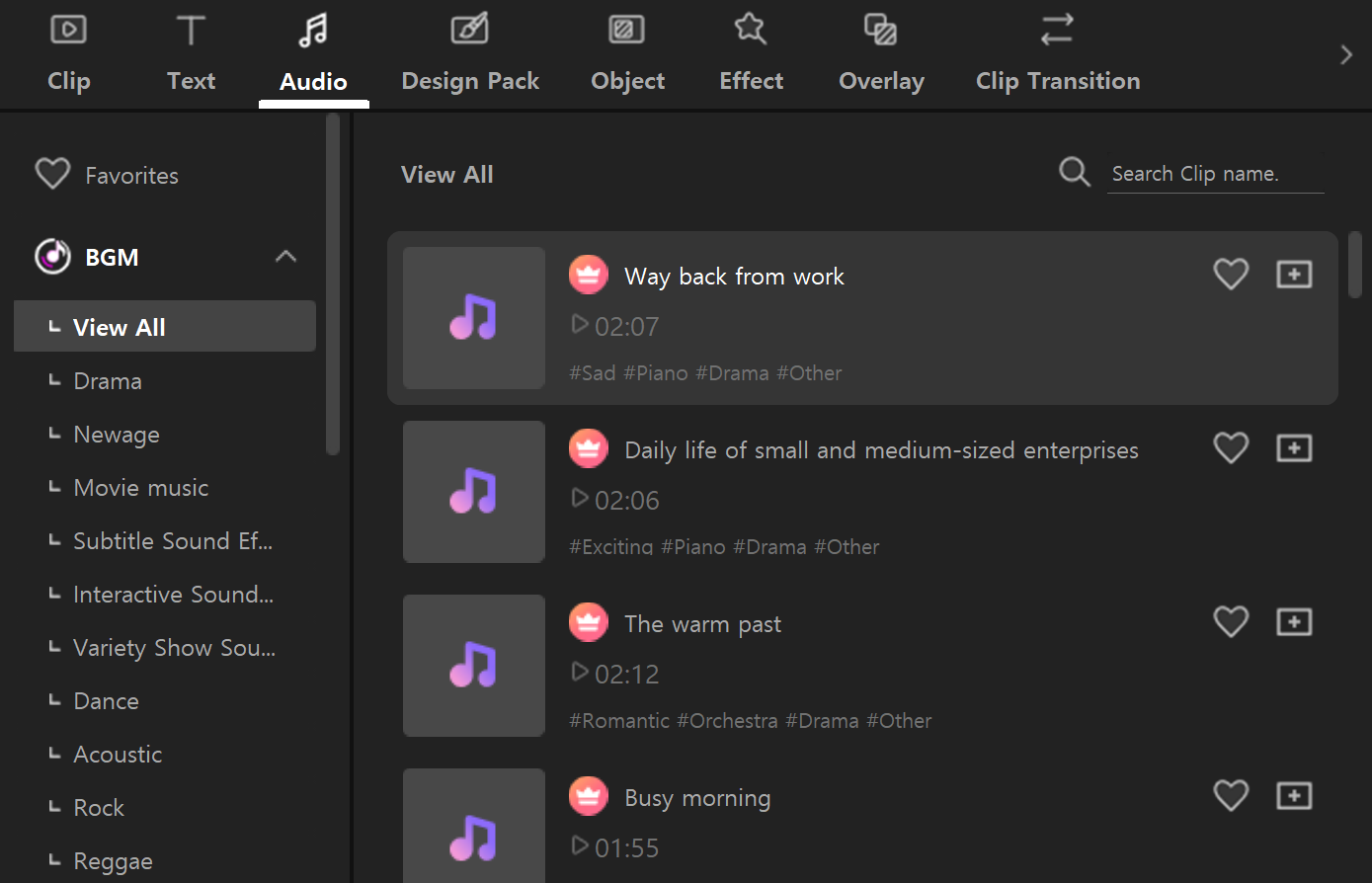
Clicking the Audio tab reveals subject categories in the left panel and a sound source list in the right panel. Clicking the download button on the right side of the sound source list allows for unlimited previews.
If you decide on a sound source to apply, select the Audio track (A1) and then click the (+) button in the sound source list, or click and drag the sound source onto the audio track.
BGM sound sources in the Audio tab are available only if you have a ‘BGM License’. The BGM License can be exchanged for 15 credits.