
GOM Mix ProUser Guide
Crop
You can crop video files to get your customized video.
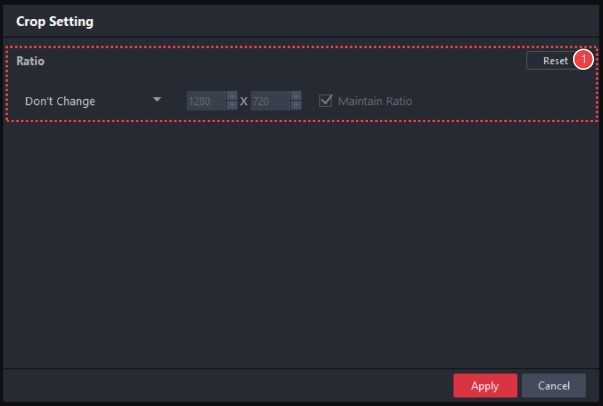
In the media source track, choose the media source to crop and click the Crop( ) icon. The cropping window will appear in the sources and effects panel.
-
①
Ratio
Sets the ratio of video files to crop. Selecting Custom allows you to set the size of the screen to crop to your preference.

- You are not allowed to move or zoom in/out your overlay clips while cropping screens.