GOM AudioUser Guide
Setting Preferences
Create Playlist
Audio files can be grouped and listened to as desired.
Playlist can be opened by clicking the Playlist Window (F7) in the Main Area.
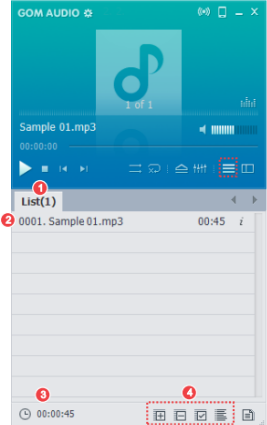
-
①
Playlist Grouping
Displays the created playlist.
-
②
Audio File List
Can choose a file added to the list.
-
③
Total Play Time
Can view the total play time of the files added to the corresponding list.
-
④
File List Management
Can add or remove files on the list, or select and order the files already there.
Playlist creation method is as follows.
-
1.
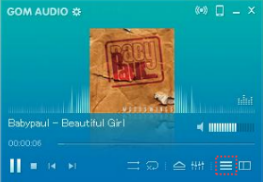
Click the Playlist Window (F7) button in the Main Area.
-
2.
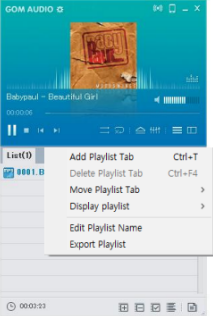
Click the right mouse button on the playlist window. New list is created by clicking the [Add Playlist Tab] in the popup menu that appears.
-
3.
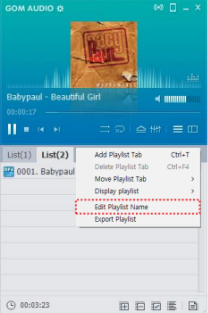
Can change the name of the newly created playlist by clicking the right mouse button.