GOM Encoder
Function
The bottom part of the encoded video is cut off.
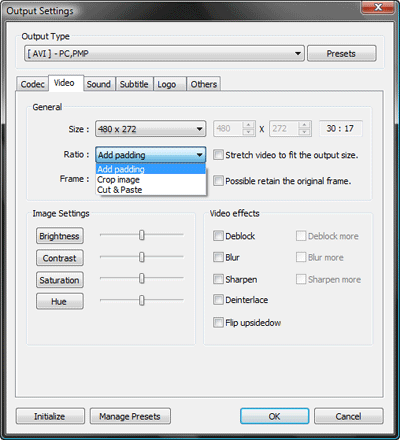
The Preset in GOM Encoder uses the ‘Cut & Paste’ option to match the screen ratio of the video file and the output file during encoding.
For example, if the original video has 4:3 ratio but the output ratio is 16:9, the top and bottom of the 4:3 video is cut and margins are added to the left and right of the video to create 16:9 video.
To fix the problem of parts of the video being cut off, go to ‘Output Settings > Video Tab > Ratio’ and change the setting from ‘Cut & Paste’ to ‘Add padding’.