GOM Player Plus
Error Inquiry
I can not see the subtitles.
Start GOM Player and click [Preferences (F5) > Reset]. Now, try the subtitles again.

If the subtitles are loaded successfully, you should be able to see the files in the Subtitles Explorer (Ctrl+E).
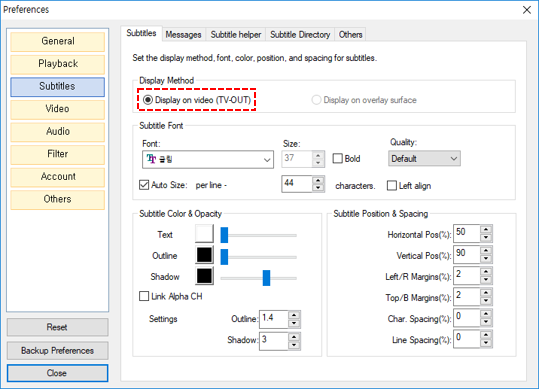
If you can’t see the subtitles displayed on the video despite of the files in the Subtitles Explorer,
go to [Preferences (F5) > Subtitles > Display Method] and select “Display on video”.