
GOM Encoder
Getting an “NSIS ERROR” when trying to run the installation program after download.
An "NSIS Error" in the installation file is caused by one of the following:
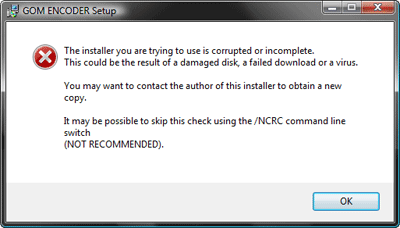
When running the installation file, ‘NSIS Error’ occurs due to the following reasons.
1. The user’s computer has a virus.
If the file was damaged by a virus, you’ll need to run anti-virus software to get rid of the problem. Once you’ve cleared your computer of viruses, download the file again.
2. The download wasn’t 100% completed.
In the case of an incomplete download, you just need to download the file again.
If your network is unstable, try rebooting your computer before downloading again. There is also a possibility that the corrupted file is cached in your browser. To fix this, you need to clear your browser cache.
(You can do this on Internet Explorer 8 by going to Tools - Internet Options - General tab, then clicking on the [Delete] button under the “Browsing history” heading. On the menu that pops up, check the box next to “Temporary Internet Files” and then click [Delete].)
※ The GOM Encoder installation file is distributed after a thorough check and is guaranteed to be virus free.